
Views: 0 Author: Site Editor Publish Time: 2025-10-30 Origin: Site


Ever wondered how machines achieve precise movements? Stepper motors, like side step motors, are the key. They offer controlled, accurate motion essential for various applications. In this article, we'll explore what a side step motor is, why motor control is crucial, and an overview of techniques to master this control.
Stepper motors move in small, precise steps, unlike regular motors that spin continuously. They have coils arranged inside, and by energizing these coils in a specific order, the motor shaft turns step by step. Each step moves the shaft a fixed angle, allowing for accurate control of position and speed.
Inside, the motor has two main coils. When current flows through one coil, it creates a magnetic field, pulling the rotor to align with it. By switching the current between coils, the rotor moves stepwise. This stepping action makes stepper motors ideal for applications requiring precise movements.
There are two main types of stepper motors: unipolar and bipolar.
Unipolar Stepper Motors have coils with a common center tap. This design simplifies wiring and control since you only energize one half of a coil at a time. They usually have five or six wires.
Bipolar Stepper Motors have coils without a center tap, requiring current to flow in both directions through the coils. This design offers more torque but needs more complex control circuits. They typically have four wires.
Each type has its pros and cons, so choosing one depends on your project needs. For example, unipolar motors are easier to control but offer less torque, while bipolar motors provide stronger torque but require more advanced driving circuits.
Stepper motors are widely used in many fields due to their precise control. Common applications include:
3D Printers and CNC Machines: They move print heads or cutting tools accurately.
Robotics: For precise control of arms or wheels.
Camera Platforms: To adjust lenses or position cameras smoothly.
Automated Valves: Controlling flow in industrial processes.
Medical Devices: Where exact movements are critical.
Because they move in exact steps, stepper motors are perfect for systems needing repeatable, controlled positioning.
To control a side step motor effectively, you need some key hardware components. First, the stepper motor itself is essential. It has multiple coils that must be energized in sequence to make precise steps.
Next, a motor driver is critical. This device acts as the bridge between the microcontroller and the motor. It handles the higher current and voltage needed by the motor coils. Popular stepper motor drivers include models like the STSPIN220 or A4988. These drivers often come with features like microstepping and adjustable current limits.
You'll also need a power supply matched to your motor's voltage and current requirements. Some motors can run directly from a microcontroller’s 5V or 3.3V supply, but most require an external power source. For example, a 5V stepper might use a regulated 5V supply, while larger motors might need 9V or 12V power.
Finally, a breadboard or PCB for connecting components and jumper wires for making connections are necessary during prototyping.
The microcontroller is the brain of your motor control system. It sends control signals to the motor driver, telling it when and how to energize the motor coils.
Common microcontrollers for stepper motor control include:
Arduino Uno or Nano: Popular for beginners, easy to program.
ESP32 or STM32: More powerful, useful for advanced projects.
The microcontroller outputs signals like step and direction pulses. The step signal tells the motor when to move one step, while the direction signal sets which way it turns.
Programming the microcontroller allows you to control speed, direction, and position of the motor. It can also handle inputs from sensors or communication modules.
Selecting the right motor driver depends on your motor specs and project needs.
Key factors to consider:
Current rating: The driver must support the motor’s coil current. For example, if your motor draws 1A per coil, choose a driver rated for at least that much.
Voltage range: Ensure the driver can handle your power supply voltage.
Microstepping capability: Drivers with microstepping allow smoother and more precise control by dividing steps into smaller increments.
Control interface: Some drivers use simple step and direction pins, while others require more complex signals.
For example, the STSPIN220 driver supports 1.1A per coil and logic voltages from 3.3V to 5V. It also supports microstepping and has adjustable current limits. This makes it suitable for many small to medium stepper motors.
In contrast, the A4988 driver can handle higher voltages (up to 35V) and is popular for NEMA-17 motors in 3D printers.
Always check the datasheets of both your motor and driver to match their electrical characteristics. Also, consider any additional features like thermal protection or ease of wiring.
Start by setting up your breadboard to create a clean, organized workspace. Connect the power and ground rails on the breadboard to the microcontroller’s 5V (or 3.3V) and ground pins. This setup provides a stable power distribution for all components.
For example, if you're using an Arduino Uno, connect its 5V pin to the red power rail and the GND pin to the blue ground rail. Then, use jumper wires to connect these rails across the breadboard to power your motor driver and other components.
Organizing power rails as buses helps keep the circuit neat and makes troubleshooting easier. Make sure to double-check your connections before powering the circuit.
Next, connect the motor driver to the breadboard and microcontroller. The motor driver acts as a bridge, controlling the high current needed by the stepper motor coils based on signals from the microcontroller.
Typical connections include:
Power pins: Connect the driver’s logic voltage input (Vcc) to the microcontroller’s 5V or 3.3V pin, and the motor voltage input (VMOT) to your motor’s power supply. Ground pins must connect to a common ground shared by all components.
Control pins: The step and direction pins from the driver connect to digital output pins on the microcontroller. The step pin receives pulses to move the motor one step at a time, while the direction pin sets rotation direction.
Motor coil outputs: Connect the driver’s coil output pins to the corresponding motor wires. For unipolar motors, you may leave the common center tap wire unconnected or connect it to the power supply, depending on your wiring scheme.
For instance, if using an STSPIN220 driver, connect its step pin to Arduino digital pin 2 and direction pin to digital pin 3. Connect the motor coils to the driver’s output terminals as specified in the datasheet.
After wiring, set the driver's current limit according to your motor's specifications to prevent damage and overheating.
Safety is critical when working with motors and electronics. Here are some key practices:
Power off before wiring: Always disconnect power before making or changing connections. This prevents shorts and component damage.
Check connections: Double-check all wiring against schematics before powering the circuit.
Use proper power supplies: Match your power supply voltage and current ratings to your motor and driver requirements.
Add decoupling capacitors: Place capacitors near the driver’s power input to smooth voltage spikes caused by motor current surges.
Avoid touching components while powered: Motors and drivers can get hot; handle with care to avoid burns.
Disconnect motor when uploading code: Motor current draw can reset your microcontroller during programming. Disconnect the motor temporarily to ensure smooth uploads.
By following these steps, you set up a reliable and safe motor control circuit ready for programming and testing.
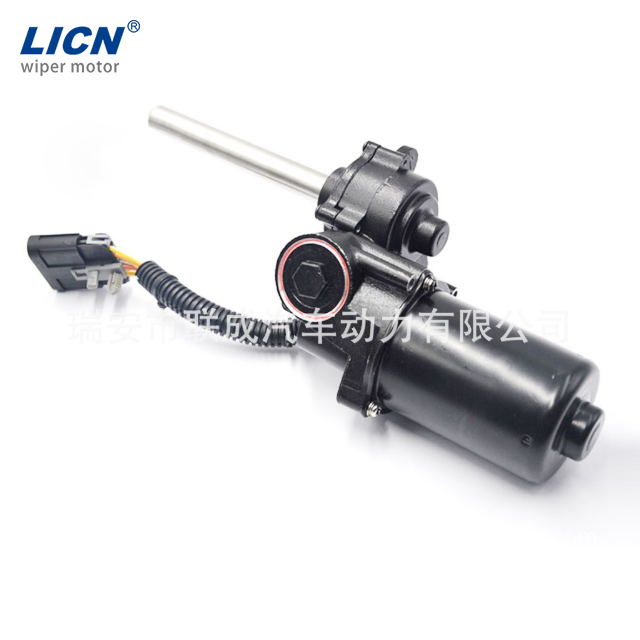
Programming the microcontroller is key to controlling a side step motor. The microcontroller sends signals to the motor driver, telling it when to move and in which direction. The main signals are:
Step signal: Each pulse moves the motor one step.
Direction signal: Sets the motor’s rotation direction.
You usually set the direction pin HIGH or LOW to choose clockwise or counterclockwise rotation. Then, you send pulses on the step pin to make the motor move step by step.
Timing between pulses controls speed. Longer delays mean slower movement; shorter delays speed it up. You can also control acceleration by gradually changing the pulse rate.
Most microcontrollers use simple digital output commands to control these pins. For example, in Arduino C++, you use digitalWrite() to set pins HIGH or LOW and delay() to pause between steps.
Before building complex programs, write simple tests to make sure everything works. Start by moving the motor one step at a time. This helps verify wiring and motor response.
Here’s a basic test example:
`const int stepPin = 2; const int dirPin = 3;
void setup() { pinMode(stepPin, OUTPUT); pinMode(dirPin, OUTPUT); }
void loop() { digitalWrite(dirPin, HIGH); // Set direction digitalWrite(stepPin, HIGH); // Step motor delay(3); // Short pulse digitalWrite(stepPin, LOW); delay(500); // Wait before next step }`
This code moves the motor one step every half second. If the motor steps correctly, try making it rotate one full revolution by sending the right number of steps. For example, if your motor has 512 steps per revolution, send 512 pulses.
Then, test reversing direction by toggling the direction pin and repeating the steps.
If the motor doesn't move or only moves in one direction, check these:
Pin connections: Make sure step and direction pins connect to the right microcontroller pins.
Wiring coils: Swap coil wires if the motor jitters or doesn’t turn smoothly.
Power supply: Ensure the motor driver and motor get enough current and voltage.
Current limit: Set the driver’s current limit properly to avoid overheating or weak torque.
Code delays: Adjust pulse length and delay times; too fast or too slow can cause missed steps.
If the motor resets the microcontroller during programming, disconnect the motor temporarily. Motors can draw current spikes that interfere with uploads.
Using serial debug messages or LEDs can help track program flow and spot errors.
Tip: Start with simple step and direction pulses to test your setup, then gradually add speed and direction control for smooth motor operation.
Controlling the speed of a side step motor involves adjusting the timing between each step pulse sent to the motor driver. The shorter the delay between pulses, the faster the motor spins. You can easily change speed by modifying these delays in your microcontroller’s program.
Microstepping is a technique that divides each full motor step into smaller steps, such as half, quarter, or even 1/256 of a step. This gives smoother motion and more precise positioning. Many modern motor drivers, like the STSPIN220 or A4988, support microstepping. You set the microstep size by configuring specific mode pins on the driver board.
For example, if your motor normally moves 1.8 degrees per full step, microstepping at 1/16 step will move it just 0.1125 degrees per microstep. This fine control is especially useful in applications like 3D printing or CNC milling where precision is critical.
Most side step motors require more power than a microcontroller’s onboard supply can provide. Using an external power supply ensures your motor gets the voltage and current it needs for reliable operation.
Choose a power supply that matches your motor’s voltage rating. For instance, a 5V stepper motor needs a stable 5V source, while larger motors might require 9V or 12V. If your power supply voltage is higher than the motor’s rating, use a voltage regulator to step it down safely.
Connect the external supply’s positive terminal to the motor driver’s motor voltage input (often labeled VMOT), and the negative terminal to common ground shared by the microcontroller and driver. This common ground prevents noise and erratic behavior.
Adding a decoupling capacitor (10-100 µF) near the driver’s power input helps smooth out voltage spikes caused by motor current surges.
G-code is a language used to control CNC machines and 3D printers. It tells motors exactly how far and fast to move, enabling complex shapes and patterns.
Integrating G-code into your motor control system allows precise, automated movements. Libraries like GRBL for Arduino interpret G-code commands and translate them into step and direction pulses for stepper drivers.
For example, a G-code command might instruct the motor to move 100 steps forward at a certain speed. The microcontroller processes this and pulses the step pin accordingly, adjusting timing for speed control.
Using G-code is common in industrial and hobbyist CNC machines, enabling repeatable, accurate operations.
Stepper motors play a vital role in many industrial settings. They provide precise control for machines that require accurate positioning and repeatability. For example, CNC machines use stepper motors to move cutting tools or workpieces in exact increments. This precision helps produce parts that meet tight tolerances.
Robotics also benefits from stepper motors. Robots use them to control joints, wheels, or actuators, allowing smooth, repeatable movements. Automated assembly lines rely on stepper motors to position components or tools quickly and reliably.
Other industrial uses include conveyor systems, packaging machines, and automated valves. Stepper motors help ensure consistent operation, reduce errors, and improve efficiency.
Stepper motors are popular among hobbyists and makers. Their precise control makes them ideal for DIY projects like 3D printers, laser cutters, and robotic arms. Many hobbyists use Arduino or Raspberry Pi to program stepper motors for custom tasks.
For example, a hobbyist might build a camera slider using a stepper motor to create smooth, controlled motion for time-lapse photography. Others use stepper motors to create automated art installations or small CNC mills for woodworking.
Stepper motors are affordable, easy to control, and supported by many online tutorials, making them accessible for beginners and experts alike.
Motor control technology continues to evolve. New driver chips offer higher current capacity, better microstepping resolution, and smarter features like stall detection. These improvements allow motors to run smoother, quieter, and more efficiently.
Integration with IoT and smart systems is another trend. Motors can now connect to networks for remote monitoring and control. This opens possibilities for predictive maintenance and adaptive automation.
Artificial intelligence and machine learning may soon optimize motor control in real-time, adjusting speed and torque based on load or task requirements. This will enhance performance and energy efficiency.
Wireless control and battery-powered stepper systems are also growing, enabling portable and flexible applications.
Stepper motors enable precise control through small, incremental steps, making them ideal for various applications, including robotics and CNC machines. Future advancements in motor control technology, such as improved driver chips and IoT integration, promise even greater efficiency and precision. As these technologies evolve, the potential for innovative applications continues to grow. Companies like Licn are at the forefront, offering advanced motor control solutions that enhance performance and reliability, providing significant value to both industrial and hobbyist projects.
A: A Side Step Motor is a type of stepper motor that moves in precise steps, allowing for accurate control of position and speed in various applications.
A: To control a Side Step Motor, you need a microcontroller to send step and direction signals to a motor driver, which energizes the motor coils in sequence.
A: Side Step Motors are ideal for projects requiring precise movements, such as 3D printers, CNC machines, and robotics, due to their accurate step control.
A: Side Step Motors offer precise positioning, repeatability, and control, making them suitable for applications needing exact movements and speed adjustments.
A: Unlike regular motors, Side Step Motors move in fixed steps, providing better control over position and speed, essential for precision applications.


